


People often want to use their favourite services wherever they are, using a phone or tablet. That is why we offer the Katanaspin App experience for all customers. It includes the same features as the desktop website. You can also claim a welcome offer of up to £3,000 plus 300 free spins. Games, payments, and account tools are designed to work smoothly on smaller screens.
To use the Katanaspin App, just open our website in your mobile browser. The site is fully optimised for different devices and screen sizes, so it looks and works well on both smartphones and tablets. For example, you can browse slots, open live casino games, or deposit with a few taps, without zooming in or scrolling sideways.
You can register a new account or log in in the same way as on desktop. If you want to play with real money, you simply make your first deposit and choose a game.


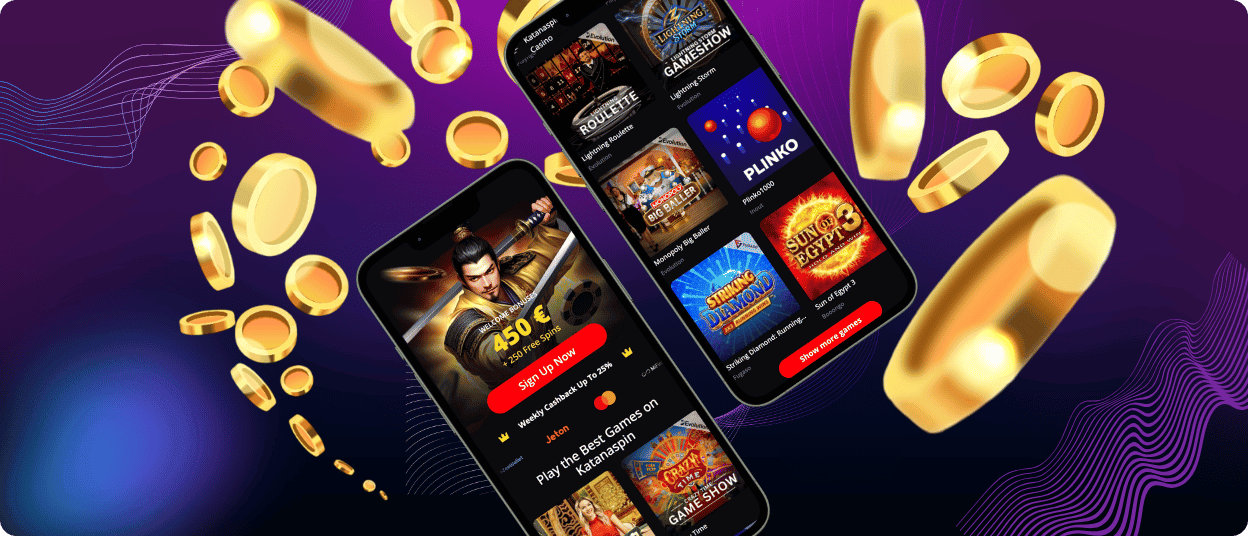
 Weekly Cashback up to 25%
The Katanaspin App gives you the same main features as the desktop site. You can play the same games and use the same account tools. The layout fits your screen, so everything stays clear and easy to tap. For example, you can open a live roulette table on your phone and place bets without zooming in.
The design feels familiar if you used the desktop version before. The app keeps a dark style with Asian-inspired details, and the menu stays simple. Even new players can quickly find what they need, such as a game, a deposit page, or bonus information.
If you have a question, start with the FAQ page. If you still need help, contact support. For example, if a payment takes longer than expected, or a bonus does not appear, the team can check your account and explain what to do next.
Katanaspin Casino works smoothly on Android phones and tablets. The Katanaspin App experience is optimised for touch screens, so you can browse games, open a title, and place bets without zooming in. For example, you can spin a slot in portrait mode on your phone, then switch to landscape on a tablet for a wider view.
If you prefer using an Android App version, choose only the option provided on the official Katanaspin website. This helps you avoid unsafe copies from third-party pages. After you start, you can log in, manage your balance, and use the same bonuses and promotions you see on the desktop.
A stable internet connection is enough to play on the go. For instance, you can check new releases during a break or join a live dealer table from home on your Wi-Fi.
On iOS, you can play through Safari or Chrome. The site is optimised for iPhone and iPad, so games and payments work smoothly on your screen. For example, you can open a slot in seconds and make a quick deposit without leaving the page.
For faster access next time, you can add the Katanaspin page to your Home Screen as an icon from your browser.
You can use Katanaspin on Windows and macOS straight from your browser. There is no need to install anything. Open the Katanaspin website in your usual browser, log in, and start playing. The site adjusts to your screen and supports high-quality graphics, so games look sharp and run smoothly.
The browser version gives you the same core features as on other devices. For example, you can choose a game, play in a live casino, and manage your payments from your laptop with no extra steps.
If you want quicker access, you can add Katanaspin to your desktop as a shortcut. This way, you can open it like an app, without installing extra software.
Log in to the Katanaspin App and open the cashier or payments section. Choose Withdraw, pick the same method you use for deposits if it is available, and enter the amount. For example, if you deposited with a bank card, you may need to withdraw to the same card after a quick verification.
Most games are available in the Katanaspin App, including popular slots and live tables. Sometimes a specific title may not load on a certain device because of the game provider or local restrictions. If a game does not open, try another browser or update your device, then refresh the page.
You can browse the site without an account, but you need an account to play. Demo mode is available for registered users, so you can test games first. When you feel ready, you can make a deposit and switch to real money play.
Open the Katanaspin App and go to the Support or Help section. You can usually reach the team through live chat or email.
Can I play live casino games on the Katanaspin app?
Yes. You can open live casino games in the Katanaspin App and play with real dealers in real time. For example, you can join a live blackjack table on your phone, place bets, and follow the action without leaving the page.


